
How to Access VPS Server via SSH?
The first step in managing your website or application is accessing your server. One of the most common and secure is SSH (Secure Shell). If you are using Linux VPS hosting, with SSH, you will be able to control your server remotely, using simple commands.
Whether you are a developer or a business owner, learning how to access your VPS server using SSH can help you manage your files, install software and monitor performance easily.
In this blog, we will learn how to connect to your VPS server via SSH in an easy-to-follow steps.
Why SSH Access Is Important
SSH is a secure method of connecting to your server. It encrypts the connection and secures your login information.
With SSH access, you can:
- Manage server files
- Install applications
- Configure server settings
- Monitor system performance
Most users of Linux vps hosting prefer to use SSH because it is fast and secure.
What You Need Before Connecting
Before being able to access your server, you need a few basic things from your hosting provider.
These include:
- Server IP address
- Username (most likely root or admin)
- Password or SSH key
If you buy vps server India your hosting provider will share these details after the setup.
Step 1: Choose an SSH Client
In order to connect to your server, you need an SSH client.
For Windows users:
- PuTTY is commonly used
For Linux or Mac users:
- Built-in terminal is enough
These tools provide you with the possibility to connect to your vps server hosting environment easily.
Step 2: Connecting to Your VPS Server
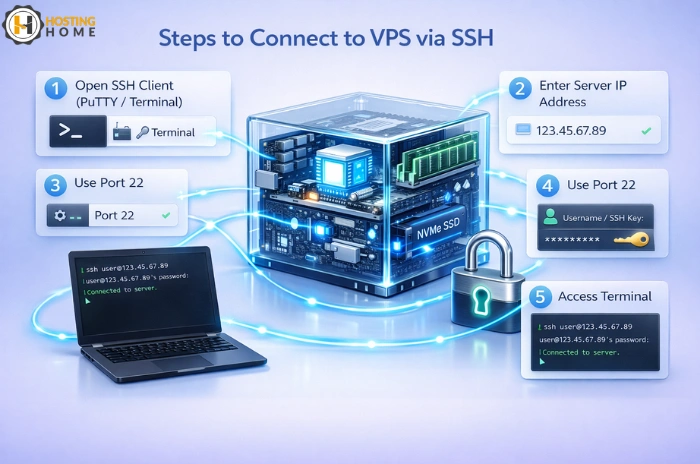
Once you have your login information and your SSH client ready, the following steps can be followed:
- Open your SSH client
- Enter your server IP address
- Use port 22 (default SSH port)
- Click connect
After this the system will require your username and password.
This method is good for most cheap vps server hosting plans as well as premium servers.
Step 3: Verify the Connection
Once connected, you will see a command line interface. This means that you are successfully logged into your server.
You can now execute commands to control your vps server system.
This step is the same regardless of whether you are using entry-level or best vps server configurations.
Step 4: Use SSH to Manage the Server
Once you are logged in, you can do many tasks including:
- Installing software
- Updating the system
- Managing files
- Creating databases
- Monitoring performance
SSH provides you the full control of your server, especially in Linux vps hosting environments.
SSH Access for Windows VPS
SSH is mainly a tool used with Linux servers. For windows vps hosting, the users generally connect with the help of Remote Desktop (RDP).
However, some of the advanced setups are available for SSH access in Windows as well.
Businesses that use windows vps hosting usually prefer RDP for easier interface management.
Security Tips for SSH Access
With the use of SSH, security is important.
Follow these simple tips:
- Use strong passwords
- Change default SSH port
- Disable root login, if not necessary
- Use SSH key authentication
Even if you are using cheap vps server, a proper security setting can ensure your system is secure from attacks.
Understanding the Methods of SSH Login
There are two main ways of logging in to your server using SSH:
Password Login
You enter username and password to access the server. This is easy, and is commonly in use in beginner setups.
SSH Key Login
This method involves the use of a secure key in place of a password. It is safer and recommended for the production servers.
Most professional vps server hosting environment supports both methods.
Troubleshooting SSH Connection Issues
Sometimes you may be facing connection problems.
Common reasons include:
- Wrong IP address
- Incorrect login details
- Firewall blocking port 22
- SSH service not running
Even users on a free vps server or testing servers may face these problems.
Fixing these problems will provide for smooth access to your server.
Why Choose Hosting Home for VPS Hosting
If you are planning to buy vps server hosting in India, Hosting Home provides reliable and high-speed VPS solutions.
Hosting Home provide secure infrastructure for websites, applications, and business platforms.
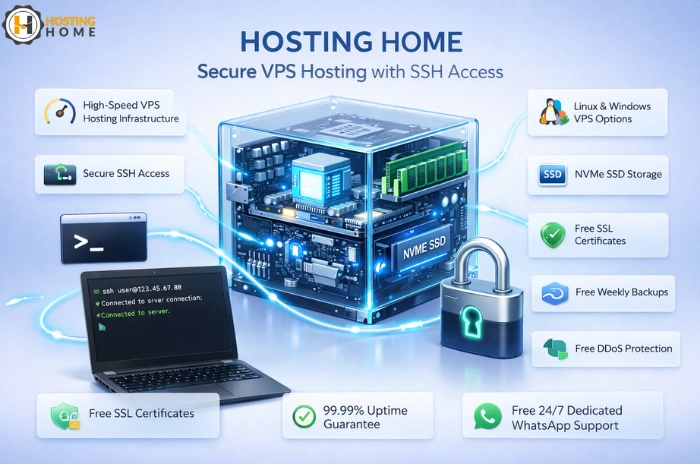
Hosting Home VPS Features
- High-speed vps hosting India infrastructure
- Affordable vps hosting India plans
- Flexible vps server price options
- Powerful Linux and Windows VPS hosting
- Free SSL certificates
- Free weekly backups
- Free DDoS protection
- Free migration support
- 99.99% uptime guarantee
- Free 24/7 Dedicated WhatsApp support
If you are looking for a setup that is easy to use or need to control the server with advanced features, Hosting Home is a trusted vps server provider.
If you want performance, security, and easy access to the server, Hosting Home has one of the best vps hosting server solutions for businesses in 2026.